HT Calc website widgets
Put a calculator on your website
Give visitors a calculator they can use on your page. Pick a calculation in your paid workspace and paste the generated HTML where you want it to appear.
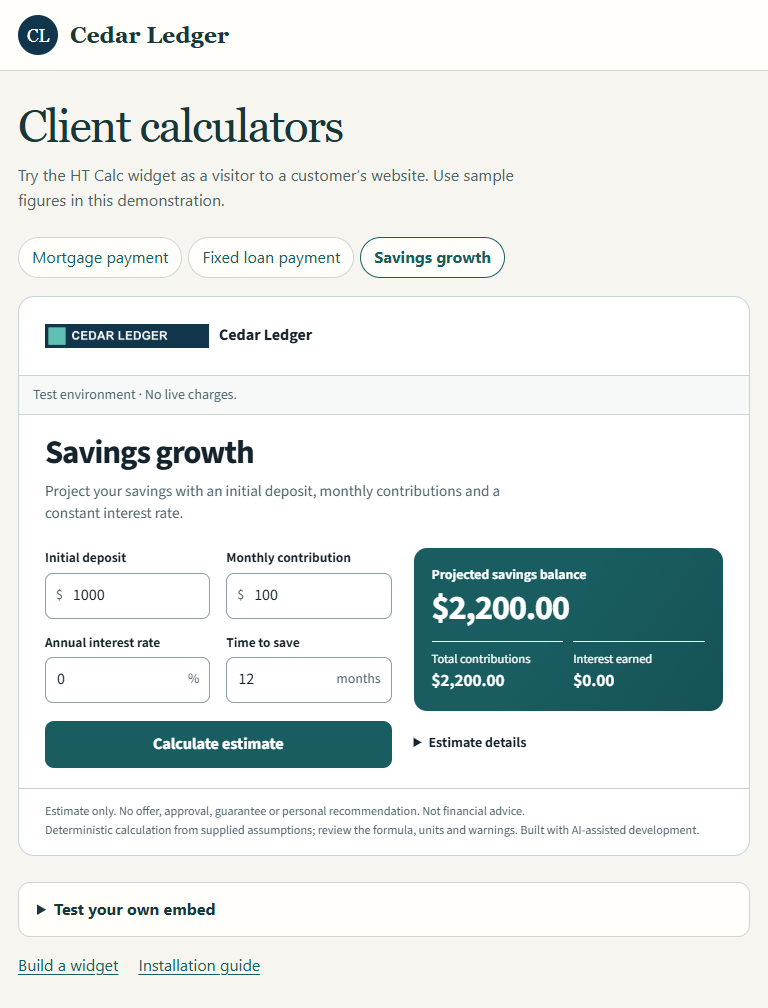 Try the Cedar Ledger savings widget →
Calculator choices
Choose one calculator for each widget. The curated selection includes 31 forms across 12 groups. The picker in your workspace shows the current choices and credit cost for each.
- Home financing · Mortgage payment, refinance comparison, home affordability, home equity and VA funding fees.
- Buying and selling · Cash after closing and seller net proceeds.
- Borrowing · Fixed loan payment, loan amortization, auto loans and student loan deferment.
- Business and property · Business loan cash flow, commercial mortgage balloon and debt service coverage.
- Savings and budgeting · Savings growth and monthly budget.
Install a widget
Choose the calculator and site
Open the builder in your paid workspace. Select your application and review the calculator’s sample preview and credit cost. Enter the exact HTTPS origin of the website where visitors will use it. For example, enter
https://www.example.comfor a page athttps://www.example.com/tools/payment.Set the appearance
Standard widgets display HT Calc attribution. On Business, Scale or Enterprise, save your workspace brand and register the site in its allowed origins. The brand name, accent and logo apply across your workspace’s widgets.
Paste the generated HTML
Create the widget and copy its installation snippet. Paste it into a custom HTML block that permits scripts, or directly into the page’s HTML. The script loads the hosted calculator in an iframe at that position.
Snippet format · copy your own from the builder <script async src="https://accounts.hasstechapi.com/v2/widgets/WIDGET_ID/embed.js"></script>The snippet contains a public widget ID. Keep your workspace credentials and API keys on your server.
Check the published page
Open the published page on the registered site. Check the calculator title and branding, then try sample inputs. A successful calculation draws the selected calculator’s credit cost from your workspace allowance.
Branding and site limits
- Standard $299/month
- HT Calc attribution on one registered HTTPS origin.
- Business $899/month
- Your workspace brand on up to three registered HTTPS origins.
- Scale $2,499/month
- Your workspace brand on up to three registered HTTPS origins.
- Enterprise $4,799/month
- Your workspace brand on up to three registered HTTPS origins.
Prices are monthly in US dollars, plus applicable tax. Compare credit and PDF allowances.
After installation
Change the calculation
Edit the existing widget in the builder. The installed snippet uses the updated calculator.
Use a different website
Create a separate widget for that exact origin. The root domain and its www subdomain are different origins.
Check a blocked installation
Confirm that the published page still contains the script and that its origin matches the widget. If your site enforces a Content Security Policy, allow https://accounts.hasstechapi.com for scripts, frames and connections.
Retire a widget
Remove the snippet from your site and disable the widget in the workspace. Disabling permanently stops that widget wherever its snippet was installed.
Manage your widgets →